Ask ten shop owners what "point of sale" means, and you will likely get ten different answers: a card machine, a billing counter, an entire billing system. That confusion is not just semantic. It leads businesses to buy the wrong device for what they actually need, whether that is GST-compliant billing, inventory tracking, or accepting card and UPI payments from one counter.
What Is Point of Sale?
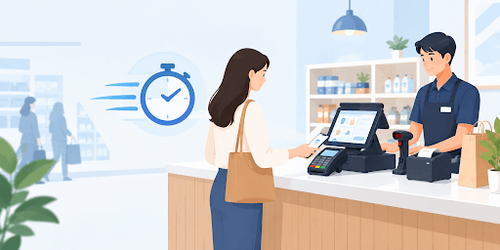
Point of sale refers to the moment and place where a transaction is completed, not a device. It is where a customer hands over payment and a seller confirms the sale, whether that happens at a shop counter, a restaurant table, or an online checkout.
The term gets used loosely to mean the billing system, the machine, and the process, all at once. That is where most of the confusion starts, and why business owners often end up buying the wrong setup for their counter.
This matters beyond vocabulary. A restaurant deciding between a simple billing counter and a full checkout setup, or a supermarket comparing quotes from different vendors, needs to know exactly what each quote covers before signing off on a purchase.
The confusion shows up most often when a business compares prices online. A cheap "POS machine" listing might be just a card reader, while a similarly priced "POS system" listing includes a full billing setup and a printer.
What Is a POS System, a POS Terminal, and a POS Machine?
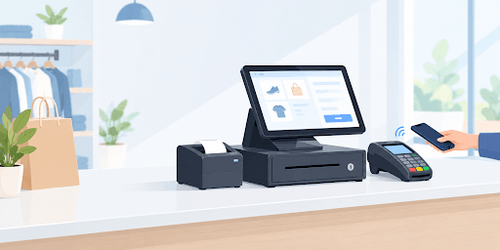
A point of sale system is the complete setup, the terminal, printer, and other devices together, that runs a business's checkout. A POS machine, also called a POS terminal, is the physical device inside that system: the screen and card reader customers interact with directly at the point of sale.
Older shops still call this device a card swipe machine or an electronic cash register, though both terms predate the technology built into a modern touchscreen POS machine.
The distinction matters when a business owner is comparing quotes. One vendor's "POS system" quote might include a printer, a scanner, and a year of technical support, while another vendor's "POS machine" quote covers only the terminal itself. Asking what is included, rather than what the product is called, helps in choosing the right purchase.
Is a Billing Machine the Same as a POS Machine?
In India, "billing machine" and "POS machine" often get used interchangeably, but they are not identical. A billing machine focuses on printing a GST-compliant invoice: item list, GSTIN, tax split, and total. A full POS machine does that and more.
- A billing machine typically prints invoices and stores a basic item list, with limited functions beyond that.
- A POS machine adds card and UPI payment acceptance, stock deduction, and sales reporting in the same device.
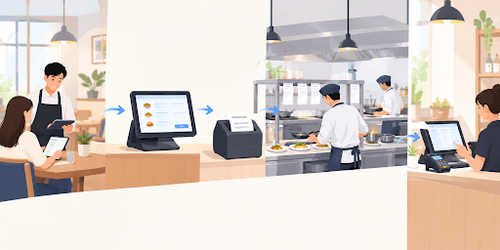
- A restaurant billing machine needs to combine both: fast GST billing at the table alongside order tracking and kitchen coordination.
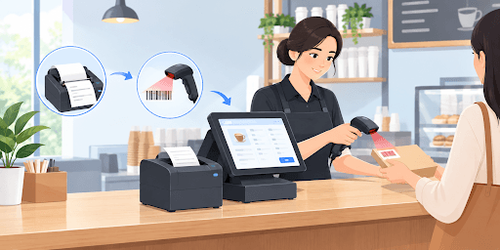
- A supermarket counter usually needs the full POS machine setup, since barcode scanning and stock deduction happen on nearly every bill.
For a small kirana store billing a handful of items a day, a plain billing machine may be enough. For a multi-counter retail or food service business, the reporting and payment features of a full POS machine usually pay for themselves within a few months through fewer billing errors and faster checkout.
How Does a POS Machine Process a Payment?
The steps look simple from the customer's side, but a few systems talk to each other in seconds behind the scenes.
- The customer taps, swipes, or inserts a card, or scans a UPI QR code, at the machine's card reader.
- The POS machine encrypts the card or account details before sending them onward.
- The payment processor forwards the encrypted request to the customer's bank.
- The bank approves or declines the transaction within seconds.
- The POS machine confirms the sale, prints the GST invoice, and updates stock.
Most of this happens in under five seconds, which is why a slow or unreliable POS machine is usually a network or hardware issue rather than a payment delay on the bank's side.
Many counters also add a customer display for POS so the buyer can see the bill amount and confirm it before the payment goes through.
Which Type of POS Machine Fits Your Business?
Different businesses need different hardware at their point of sale. Transaction volume, catalogue size, and whether staff move around the store all decide the right fit.
| Type | Best For | Connectivity |
|---|---|---|
| Touch screen POS machine | Busy retail and F&B counters needing billing, payments, and inventory together | Wired or Wi-Fi |
| Android POS | Small shops wanting a lighter, app-based setup | Wi-Fi or mobile data |
| Mobile POS (mPOS) | Staff who bill customers away from a fixed counter | Mobile data or Bluetooth |
| Billing-machine-style | Shops needing GST invoicing alone | Wired |
More than half of retailers already equip store staff with mobile POS technology, according to Oracle's overview of point of sale systems, and that shift toward mobile counters is showing up in Indian retail and food service too.
For the busiest counters, a touch screen POS machine remains the most common choice, since it combines billing, payments, and inventory tracking in one device.
How Does Essae Approach POS Machines?
Essae builds point-of-sale and billing hardware for Indian retail, food and beverage, and supermarket counters, combining GST-compliant billing with card and UPI payment acceptance and inventory tracking in a single device. The range covers countertop and touch screen configurations, along with peripherals such as customer displays and barcode scanners, built to work together as one system rather than as separate add-ons.
This fits businesses that have outgrown a plain billing machine and want GST invoicing, digital payments, and basic stock tracking in one straightforward setup.
Businesses reviewing a new counter setup can explore Essae's POS machine range to see which configuration suits their transaction volume and billing needs, from a single-counter kirana shop to a multi-branch food service chain.